Influx DB Outbound
Description
This channel is used to directly run commands on your Influx database.
Creation
To create a InfluxDB Outbound follow the steps described in the general description of Channels
Configuration
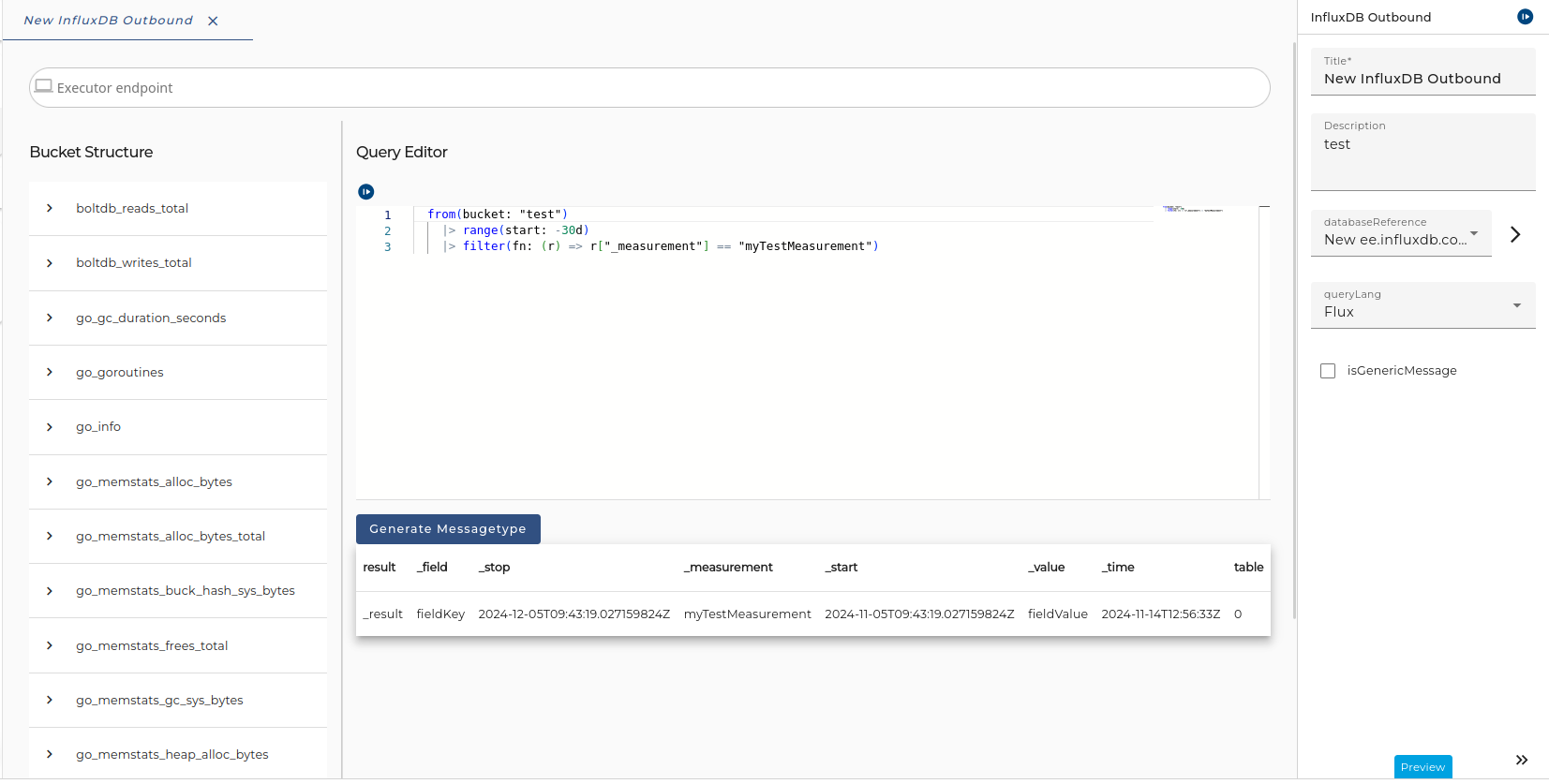
The dialog to configure the Influx DB Outbound looks like:
 |
|---|
| Configuration of the Influx DB Outbound channel |
Step by Step
- Database - The InfluxDB client connection that runs the query. The server connection must be created as environment entry (InfluxDB Client Connection)
- Bucket Structure - Displays the bucket structure in tree form to help you write queries. The bucket is defined in the Client Connection. If nothing is displayed, you might need to:
- Check your connection
- Check your client configuration
- Close and reopen the window
- Query:
- Write a static query, that is executed every time you invoke the channel.
- Language Selection - Select the dialect of the query interpreter. You can either choose:
- Flux: A read-only language that uses the pipe operator ("|>") to represent data flow.
- InfluxQL: A query language that is based on SQL syntax, but also supports Influx-specific operations.
- Generic Message - Tick this box if you want the message returned to be generic.
Generate Message Type
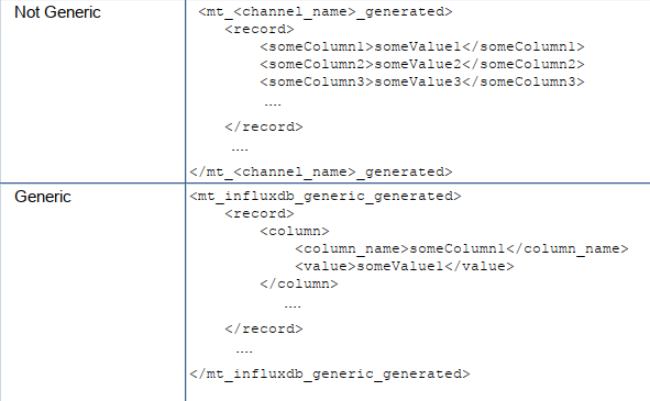
You can generate a message type based on the preliminary results. The generated message type will have one of the following structures, depending on whether the generic message type is checked or not:
Parameter in Query
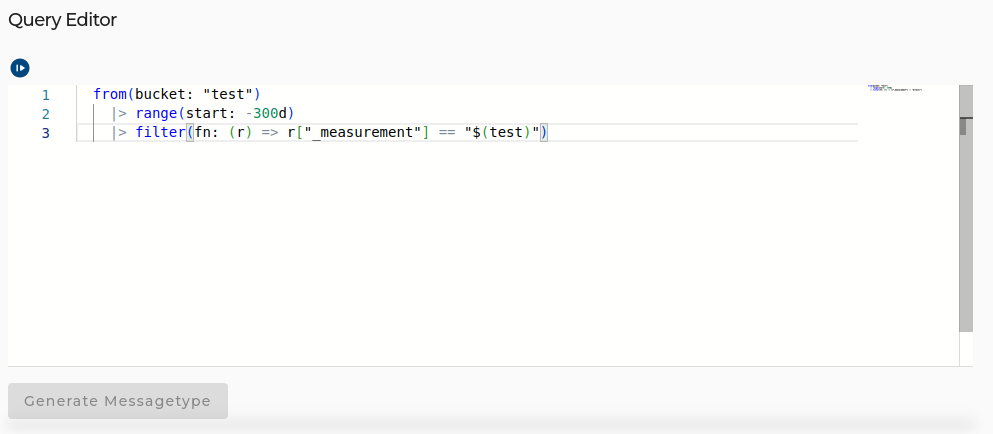
In the event that dynamic parameters need to be used in the query, input parameters from the process model can be used. This makes it possible to dynamically set parts in the query during the runtime of the scenario.
To achieve this, the $() annotation can be used. Simply replace parts that are to be changed during runtime with $(Test) and the parameter is automatically included as an input parameter in the process model.
 |
|---|
| Usage of $() - Parameter in Query |
 |
|---|
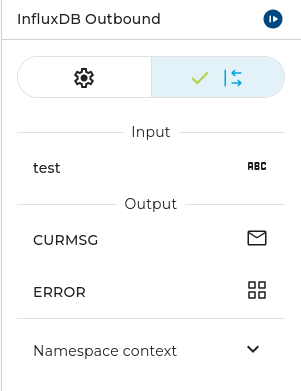
| After the Parameter is defined in the query it will automatically appear as Input Parameter in the process model. |